12 x 12 inches is the classic scrapbook page size, but most home printers top out at Letter or A4. That does not mean you cannot use full-size digital paper. There are three practical ways to get 12 x 12 sheets, and one of them uses the printer you already own.
Option 1: a wide-format printer
Printers sold as “wide format” or “A3+” take sheets up to 13 x 19 inches, so a 12 x 12 square fits with room to spare. If you scrapbook a lot, they pay for themselves quickly compared with buying patterned paper.
- Cut 12 x 12 or 13 x 13 cardstock, or buy 12 x 12 cardstock that your printer accepts. Check the printer’s supported custom sizes first.
- Create a custom paper size of 12 x 12 in in the print dialog.
- Open the 12 x 12 JPG and print at 100% (actual size), paper type matte or cardstock, quality high.
- Turn on borderless if supported. Otherwise print on 13 x 13 stock and trim to 12 x 12.
Option 2: a print shop
Copy and print shops, office supply stores and online printers can print full 12 x 12 sheets, usually on large-format digital presses that handle heavy stock. This is the easiest way to get a few full-size pages for an album.
- Send the 12 x 12 JPG file. At 3600 x 3600 pixels it is exactly 300 DPI at full size, which is what printers ask for.
- Ask for matte cardstock and no scaling. If they can only print on 12 x 18 or 13 x 19 sheets, ask them to center the file so you can trim.
- Order one proof before a large run. Commercial presses render color differently from home inkjets.
- Bring your license if asked. Shops sometimes ask whether you have the right to print a design. Our Personal license covers printing for your own projects.
Option 3: print a section on Letter or A4
For most layouts you do not need one uninterrupted 12 x 12 sheet. Layouts are built in layers, and a full-size background is often hidden under photos and mats. Printing on your home printer works well in three ways:
- Use the Letter or A4 PDF. Our PDFs keep the pattern at its true 12 x 12 scale, so an 8.5 x 11 print looks exactly like a cut piece of the full sheet. Use it as a large mat or a partial background.
- Tile two sheets. Print the same pattern twice and join the sheets on a 12 x 12 cardstock base. Simple repeating patterns such as plaid, gingham, stripes and small florals hide the seam well. Cover the join with a border strip or washi tape.
- Combine papers. Many classic layouts use two or three coordinating papers. Two 6 x 12 strips of different papers on a 12 x 12 base look intentional, not like a workaround.
Can I scale the 12 x 12 file down?
Yes. Printing the 12 x 12 file on Letter with “Fit to page” shrinks the whole design, and motifs come out smaller. It is a valid look, especially for cards. If that is what you want, our 6 x 6 mini PDF already does it neatly with crop marks.
Printing tips for full sheets
- Let large prints dry flat for several minutes before stacking. Big areas of dark ink can stay tacky for a while.
- Store finished sheets flat in a 12 x 12 paper box or sleeve. Rolled prints rarely lie flat again.
- Patterns with large solid backgrounds show banding more than busy patterns. Use high quality mode and a fresh cartridge.
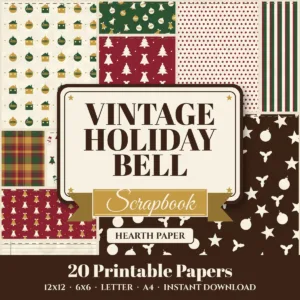 Vintage Holiday Bellfrom $4.99
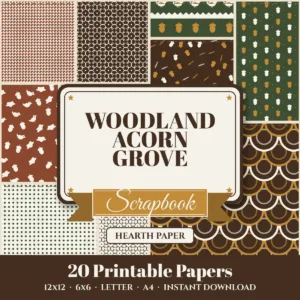 Woodland Acorn Grovefrom $4.99
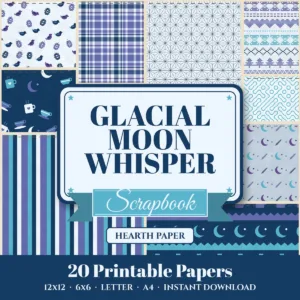 Glacial Moon Whisperfrom $4.99
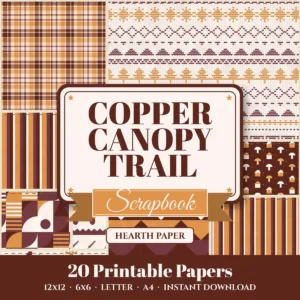 Copper Canopy Trailfrom $4.99
New to paper sizes? Start with scrapbook paper sizes explained.